
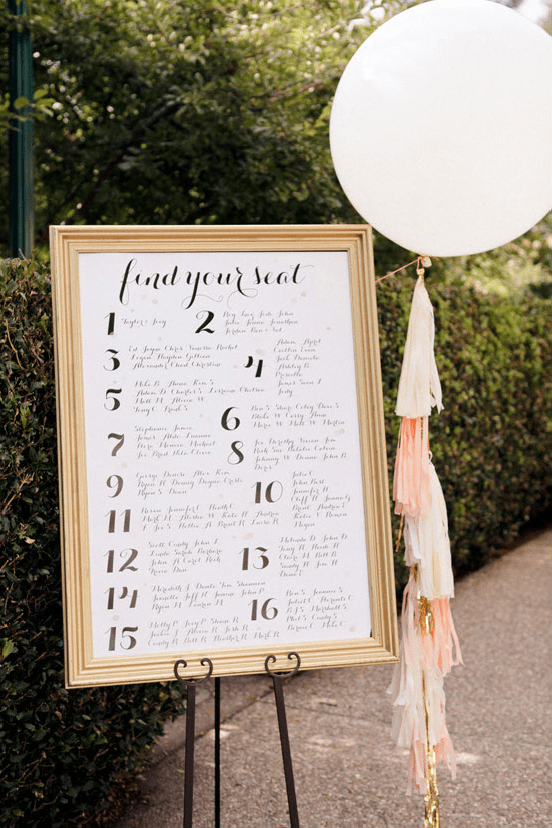
Photo Credit: Edyta Photography
Creating a Wedding Seating Chart
Making a wedding seating chart is one of the most stressful parts of a wedding. You could compare it to playing jenga, but with a lot of emotions attached. Many couples and their families will get into arguments over where Aunt Becky should sit or where your college friends will be seated. A wedding seating chart shouldn’t be created until all of the RSVPs have been accounted for, or at least a week prior to the wedding.

Creating your seating chart doesn’t have to be a cringe-worthy, time consuming task. Follow our simple steps below to help you in creating your seating chart.

- Get organized!
There are many apps that can help you create a seating chart. However, if you’re up for doing it the good old fashioned way, a spreadsheet or sheet of paper will be your best friend. Create a column listing all of your wedding guests. Color code and organize guests into categories – Purple for the bride’s family, blue for the groom’s family, yellow for the bride’s friends, red for the groom’s friends, orange for work colleagues, etc.
- Draw your table layout.
Ask for a table diagram or room layout from your wedding planner or venue. This will allow you to visualize where each table will be placed in your reception space. You’ll also want to confirm how many guests will fit at each table with your planner or venue. If your table diagram wasn’t sent to you in an electronic format, you have two options. You can create a paper table diagram for planning purposes. Once your seating chart is finalized, you can create a digital diagram to send to your venue and vendors. Or, you can create a digital diagram (like AllSeated) from the start!
- Importance first.
Begin creating your seating chart by placing table numbers on each table in the diagram. Then, start with those guests most important to you. Find a place for you and your fiancé first, then your immediate family members and your bridal party. Make sure to keep guests at the same table as their significant others. Once you’ve assigned tables to your most important guests, finding spots for your remaining guests will be much easier.
- Filling in the spots.
If you have some guests that won’t know many people at your wedding, or a few that can’t fit at a table with other guests that they know, don’t fret. You can mix and match your guests at tables and it will all work out. If a few guests don’t know each other, but have similar interests or careers, seat them together and they will probably hit it off.

More wedding planning advice is available on our blog here!
